
Organize
Build sets and sequences, preserve review information, and track an assignment.
Basic beta example
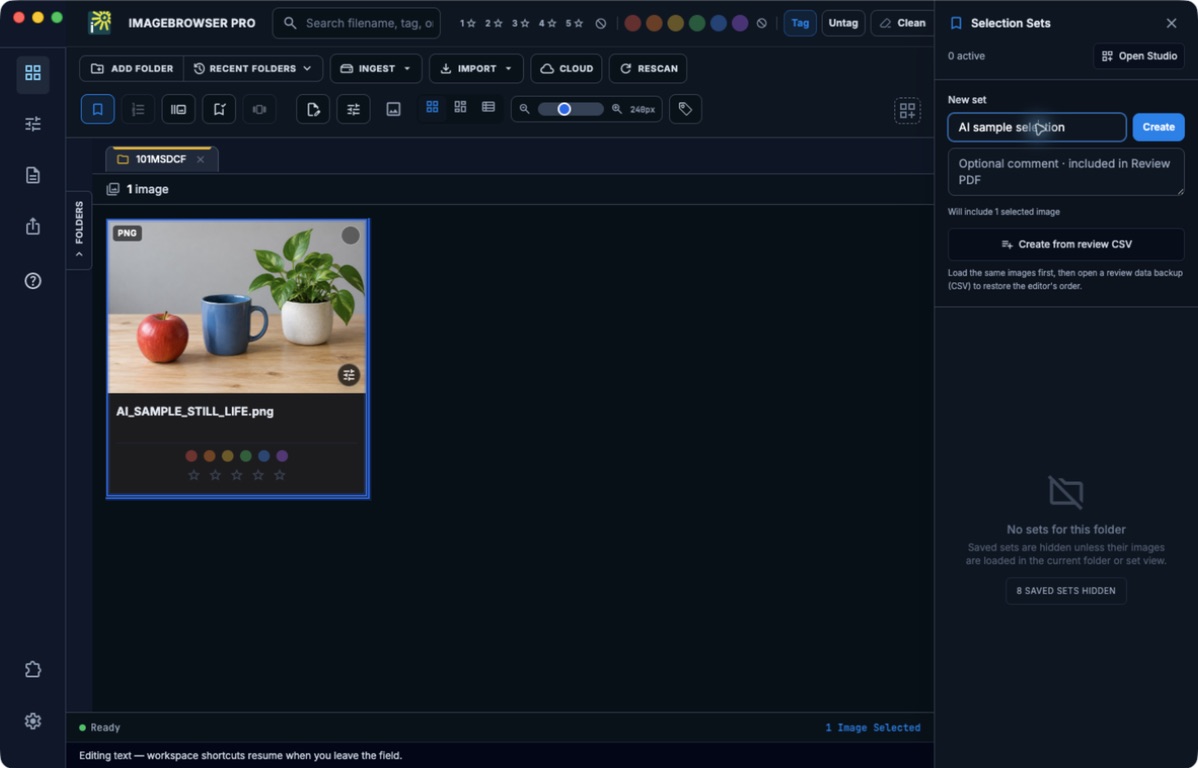
Enter a name in New set, then use Create to collect the selected images. This screenshot shows the setup before creation, using one AI-generated sample.
Choose a task
- Create and sequence a Selection Set
- Export review PDFs and restore a sequence from CSV
- Track a Sports Deadline assignment and notifications
Before you begin
Start with the matching task page and check its prerequisites. Use local practice copies while learning actions that write metadata or create files. Optional-plugin and service guides identify their requirements; a guide does not enable a tool missing from your build.
Check your result
Follow the page’s verification steps before moving on. A local save, an exported file, a synchronized folder, and a received submission are different results. If the task does not match your screen, check the app version and edition, then consult Troubleshooting.
Return to all guide sections.