
Prepare a shoot, filenames and caption phrases
Shoot Setup stores reusable assignment answers locally and uses them in filenames and caption phrases. It does not identify people, rename existing files or stamp metadata merely by opening a setup. Prepare accurate facts and test output on disposable copies. The older optional sports game wizard remains described below for builds that expose it.
Follow the four setup steps
- Open Settings → IPTC Templates → Metadata Template Wizard, or Prepare a Shoot in Photo Information Templates. Shoot Setup is also available from caption tools and Code Replacements.
- Follow Shoot details → Filenames → Caption phrases → Review. Use Back, Next, or a numbered bubble. Save or cancel unfinished drafts before leaving a step.
- Create and save a named shoot. Fill Team, Opponent, Event, Location, Shoot Date and Photographer as needed. Add field creates a text, dropdown or date answer. New shoots use defaults; Duplicate shoot deliberately copies answers.
- Build and save a filename recipe with labeled field buttons and literal separators. Inspect the sanitized filename example and original extension. In ingest, enable renaming and choose the saved recipe and intended shoot; inspect every example before starting.
- Create and save a caption phrase. A typing shortcut is optional. Search and explicitly insert its resolved text in the caption editor, then review the resulting sentence for that photograph.
- Read Review to check saved answers, phrase previews and filename examples. Done closes Shoot Setup; the Metadata Template Wizard continues to the IPTC editor. Save the IPTC template separately.
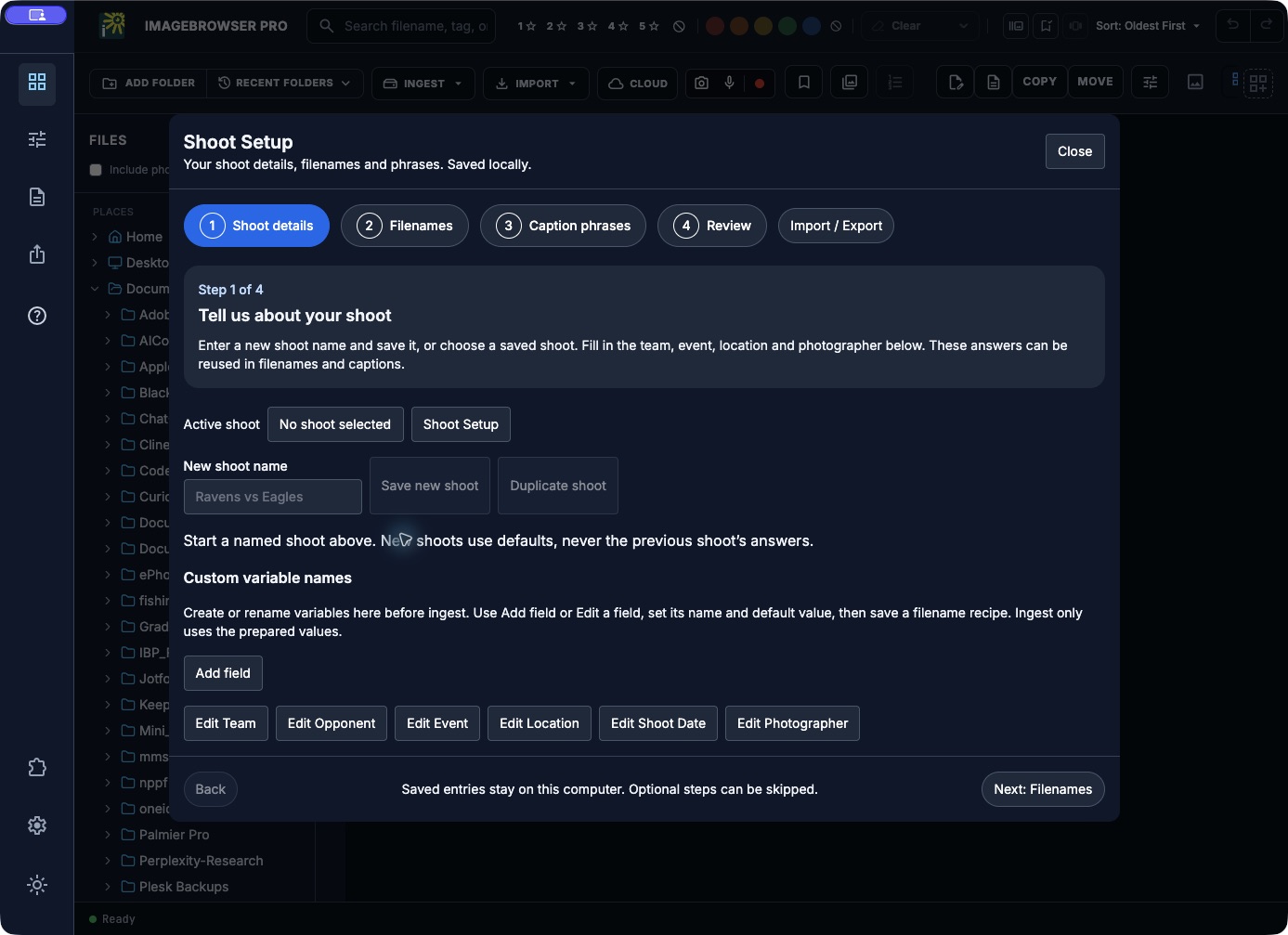
Blank local setup; no shoot answers have been saved.
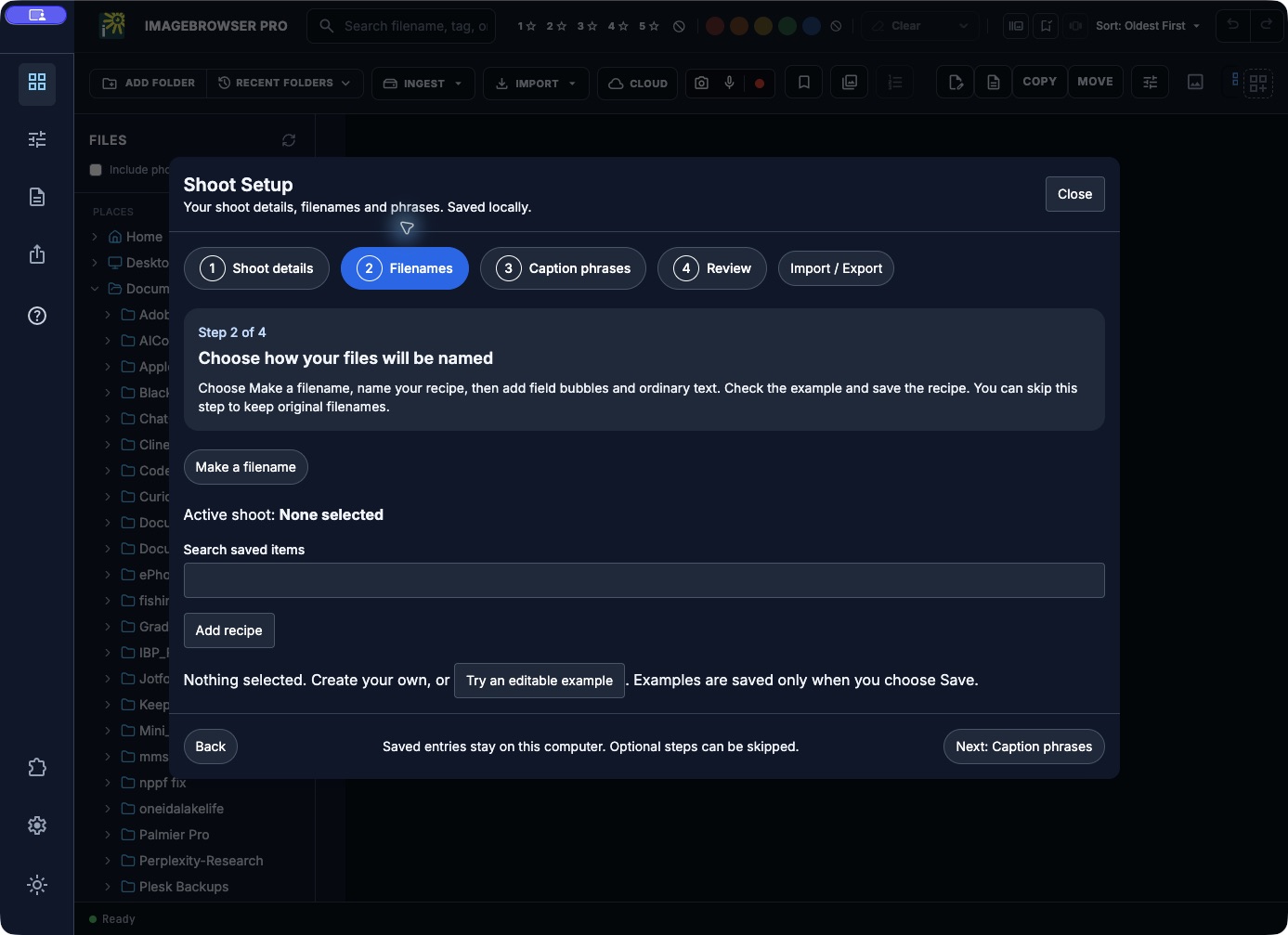
Creating a recipe and renaming photographs are separate actions.
Exchange and verify setup data
Import / Export provides starter CSVs and reviewed imports for Fields, Shoots, Filename recipes, Caption phrases and Lookup tables. Keep exported headers and field IDs. Imports show matches and errors; new entries are added by default. Enable Update matching entries shown below only for intended updates. Errors block saving; imports do not delete existing entries.
Export Shoots includes shoot answers. Other setup-sharing exports exclude those answers. Review exported files before sharing. Switching a shoot affects future generated output, not already saved captions or files. Missing required answers and unsupported rules block resolution instead of inventing facts.
For Photo Mechanic TXT/TSV conversion and limits, use code replacements. For shared IPTC fields and application readback, use Templates.
Older optional game-caption wizard
The game setup wizard helps prepare shared event metadata before captioning. It is off by default and can be skipped. Have the game date, teams, venue, and photographer credits ready; online suggestions do not replace your own verification.
Enable and start
- Open Preferences → Metadata and turn on Game setup wizard if you want it.
- Open Manage templates & custom requirements → New. The wizard can also appear on an initial blank template when enabled.
- Choose Skip this time to return to normal template editing without applying game defaults.
- Enter a city, school, or venue, then choose high school, college, professional, or other, the sport, and the game date. Request current location only when you want to grant location access.
Review the event and save
- For college/professional games, choose Find games to request suggestions. Select a result or choose Enter game manually. High school and other use manual entry.
- Confirm the teams, venue, city, and local date. Similar names or time-zone differences can produce a plausible but wrong suggestion.
- Enter byline, credit, and copyright, or copy credits from a saved template.
- Read and edit the caption preview. Replace the player/action portion with facts appropriate to each image later.
- Choose Use these template defaults, then Save in the regular template editor.
- Apply the template to the intended images through the normal metadata workflow and verify a saved result.
Limits and stored information
The schedule source returns a limited result set before local filtering. No result does not establish that no game exists. Optional venue-distance calculation is approximate. Coordinates remain in the wizard; online game lookup sends date/sport only when requested. Location depends on permission and platform support. Saved template fields are retained through the normal IPTC template store.
This wizard does not automatically change the assignment, identify players in images, or stamp arriving files. It prepares reviewed defaults. You can turn it off without abandoning ordinary templates or manual captions.
Troubleshooting
If location is denied or unavailable, enter the location manually. If lookup fails or finds the wrong game, retain your entered information and use manual entry. Recheck the date and credits after loading a template for another assignment. See Templates, Metadata, and Sports Deadline.